Contractors & small teams
Quote, deliver, and get paid without the tool sprawl.
Five tools, four logins and a Sunday evening spent moving numbers between them is not a system. It is a tax on being small, and it is paid by the one person who can least afford the hours.
The quote goes out late because the invoice went out late.
A team of four does not lose work to a competitor with better software. It loses the enquiry it never got round to quoting, because the same person doing the quoting spent Sunday evening reconciling a timesheet against a job sheet against a bank statement.
Corker's pitch to a small team is narrow and it is not about features. It is that the quote, the job, the hours and the invoice are the same record, so the Sunday reconciliation stops existing, and the enquiry gets quoted on Monday.
What moves, and what stays put.
Nobody replaces five tools in a week. Here is the swap, item by item, and then the things that do not move at all.
-
Today A quote written in a word processor from last month's quote
In Corker A quote built from priced lines, free-text lines for the caveats and a discount line if you need one, with rates and materials pulled from a catalogue you set up once. Sent as a branded PDF from inside Corker, with delivery, opens and bounces recorded against it.
-
Today A whiteboard, a group chat and a notebook in the van
In Corker A project per job, with the work as issues that carry an owner, a deadline and a priority, on a board or a list. Photos and files attach to an issue or to a comment on it.
-
Today Hours remembered on Friday and typed into a spreadsheet
In Corker A timesheet entry with a date, a start and an end — type any two of the three and the hours fill in — against the job and the type of work, which is where the price lives.
-
Today An invoicing tool that has never heard of the job
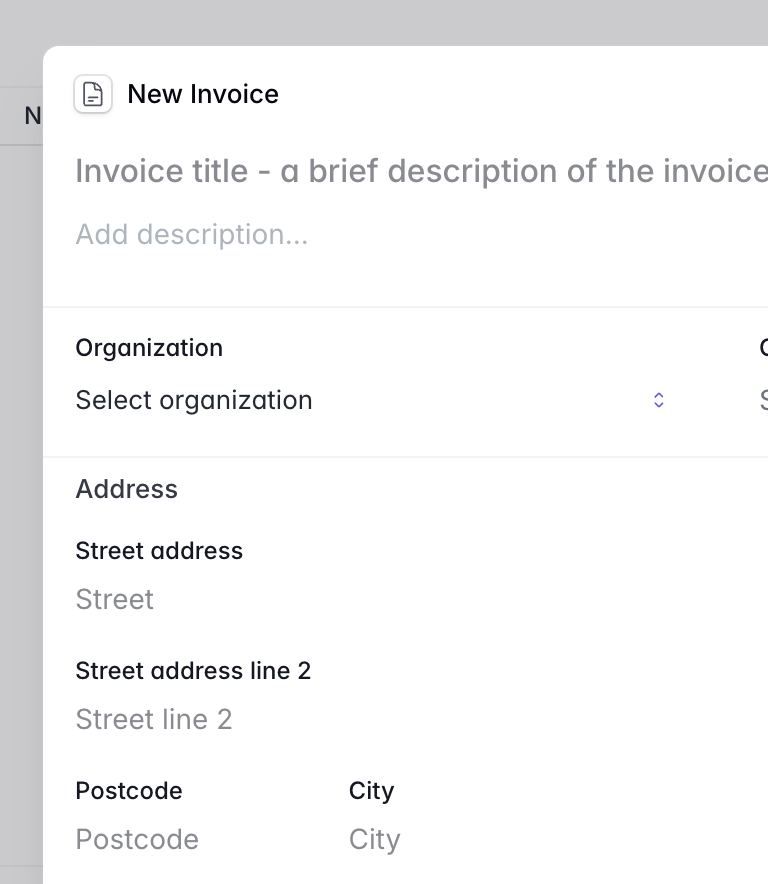
In Corker A draft invoice for that client where Add unbilled hours lists every uninvoiced billable hour, grouped by type of work. Each one becomes a line at its own price with its own tax rate.
-
Today Chasing payment from a bank app and a memory
In Corker Payments recorded against the invoice as they land, part payments included, the outstanding figure following them, the invoice marking itself paid at zero, and an overdue list on the dashboard with a Send reminder button.
And what does not move
- Your accountant's software. Corker is not a ledger and does not export to one.
- Whatever you use to take card or bank payments. Corker records a payment; it never collects one.
- Your phone. There is no Corker app.
- Your calendar. There is no scheduling or dispatch board, and nothing syncs.
The objection
"This looks like a lot of software for four people."
It is a fair reading of the rest of this site, which talks about epics, SLA policies and capacity planning. A four-person team will never open most of that, and none of it is compulsory: a job can be a project with six issues on a list and no epic, no board grouping and no planning at all.
Setup is a six-step wizard — your workspace name, your logo and colour, your invoicing defaults, your language and currency, your first project, done — and you invite the rest of the team by email. New workspaces start with two roles: a privileged one for whoever runs the business, and a member role that can do the daily work without touching invoices or settings. If two roles is all you ever need, you never open the permissions screen, and the ninety-eight individual permissions behind it stay out of your way.
The real question is not whether it is too much software. It is whether your admin happens at a desk. Corker is a web application with no mobile app and nothing offline, so the answer to "can the lads update it from site" is no. If one person keeps the system straight between visits, it fits. If you need the van to be the system, it does not, and no amount of this page should talk you out of that.
Say no if
Six good reasons not to buy this.
A small team cannot afford a tool that turns out to be wrong in month three. Any one of these is enough to stop here.
- You need the crew updating jobs from site. There is no mobile app and nothing works offline — Corker is a web application, and in practice someone at a desk keeps it current.
- You schedule by the day. There is no dispatch board, no route planning, no calendar view and no drag-a-job-to-Tuesday screen. The planning board plans people by the week, not visits by the hour.
- You bill materials from receipts. There are no expenses, no mileage and no purchase costs. Materials are priced lines you add from your own catalogue, typed in, not photographed.
- Your team lives on a stopwatch. Every entry is typed with a start and an end; there is no timer anywhere in the product.
- You want the client to press accept. Quotes are marked accepted or declined by you after they reply — there is no signature link, and no payment link on the invoice.
- You invoice the same amount every month on a service plan. There are no recurring invoices; you duplicate last month's into a new draft and send it.
Still here? Then the two pages worth reading next are quotes and invoicing and time tracking, which is where a small team gets its evenings back.
One evening back, every week.
Corker is in private beta and access is granted in small groups. Tell us what your admin evening actually consists of when you join the waitlist — small teams are the hardest to design for and the easiest to over-serve.
Someone else's version of the same week.
Corker is one product, and these pages describe how differently it is used depending on what you sell. See all five segments on the homepage.
- Agencies & studios Pitch, deliver and bill a client campaign from the same record, with the week planned against the people you actually have.
- IT services & MSPs A ticket queue with SLA targets per client and business hours — and a clear account of what Corker is not, if you are looking for an RMM.
- Consultancies Proposal, engagement, hours and invoice in one line — and the truth about utilisation reporting, which Corker does not have.
- Accounting firms One record per client, the advisory work beside the compliance work, and Swedish invoice details that usually need a second system.
Ready to bring it all into one place?
Corker is in private beta. Join the waitlist and we will be in touch when your invite is ready.
© 2026 Corker. In private beta.